AI outfit generation
Describe a look in plain words and get a classic Roblox shirt or pants template generated by AI. Shuffle prompt ideas when you're stuck.
Skinomics turns a sentence into a wearable Roblox outfit. Describe the look, and the AI generates a classic shirt or pants template that you can try on a 3D avatar, tweak in the editor and keep in your inventory.
Free to download Shirts + pants 3D avatar preview 4.5★ App Store
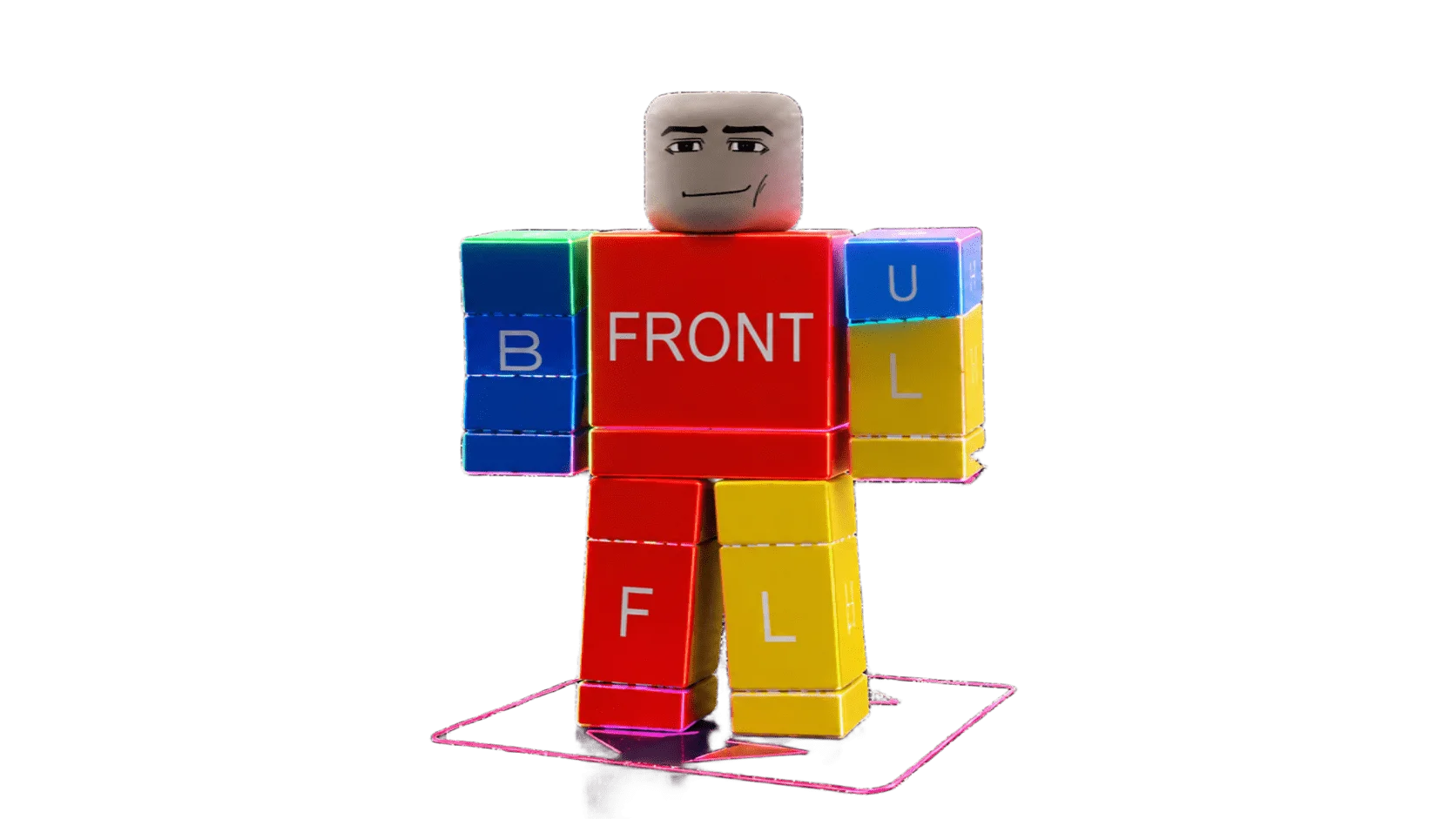
Skinomics is an AI Roblox skin maker for iPhone and iPad. Instead of starting from a blank 585×559 template in Photoshop, you type what you want ("black bomber jacket with orange sleeve stripes", "cozy green flannel over a white tee") and the AI generates a classic Roblox shirt or pants template laid out the way Roblox expects.
You see the result on a 3D blocky avatar straight away, rotate and zoom it, and fix anything you don't like in the built-in template editor with drawing tools, stickers, shapes and layers.
When an outfit is ready, keep it in your inventory, export the PNG, or sign in to Roblox inside the app to upload it as a classic shirt or pants item. Roblox charges its own upload fee in Robux.
Need ideas first? Discover and Explore have hundreds of ready-made designs, from streetwear and anime-inspired fits to roleplay uniforms, that you can try on and remix. New to this? Read the step-by-step tutorial.
Real footage from the app: a prompt becomes a shirt template, goes on the 3D avatar and gets tweaked in the editor.
Describe the look, pick Shirt, and AI makes a classic Roblox template. Then see it on a 3D avatar and fine-tune it in the editor.
Instead of a blank 585×559 template, describe your outfit and let AI fill it in. Still want to draw? Add details like a collar in the editor.
Pick Pants and AI makes a classic pants template. Shirts and pants both land in your inventory, ready to try on together.
Swipe through ready-made designs in Discover, add the ones you like, try them on the 3D avatar, or search collections by style.
The opening shot of each short was generated with Runway (AI). Every app screen is real footage recorded in Skinomics.
Generate, preview, edit and keep your Roblox clothing in one pocket-sized studio.
Describe a look in plain words and get a classic Roblox shirt or pants template generated by AI. Shuffle prompt ideas when you're stuck.
Speak your prompt instead of typing it. With Pro, attach a reference photo so the AI matches the colors and style you have in mind.
Try every design on a 3D R15 avatar. Drag to rotate, pinch to zoom, adjust the lighting and save a screenshot.
Draw, add stickers, shapes and images, and work in layers on the 585×559 template with a guide overlay that shows where each part goes.
Swipe a feed of ready-made outfits or search collections like jackets, pants and classics, then try any design on with one tap.
Keep shirts and pants in your inventory, export the template PNG, or sign in to Roblox in the app to upload it.
A complete Roblox clothing studio that fits in your pocket.
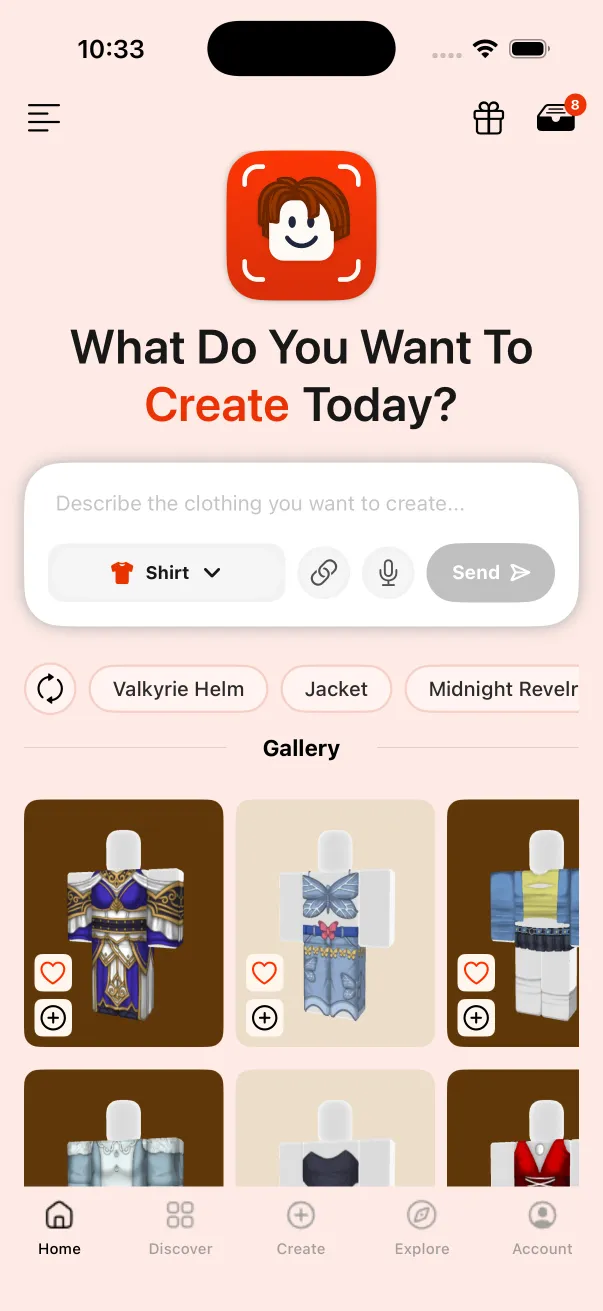
Describe a look and generate a wearable Roblox shirt or pants template.
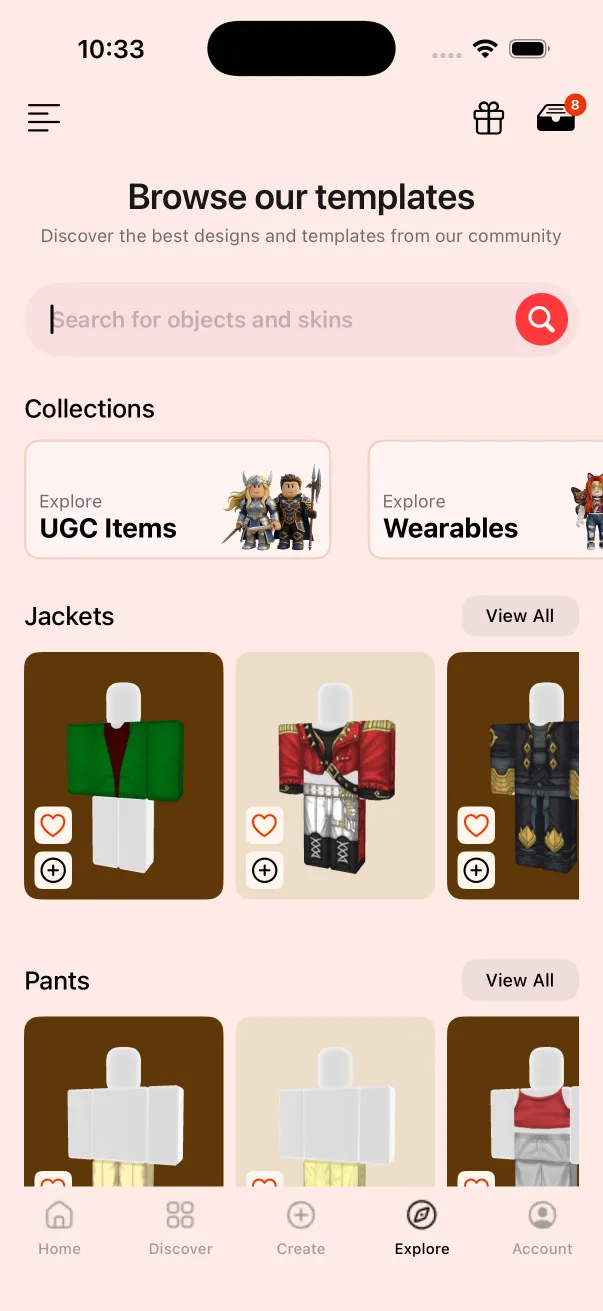
Browse designs, save favorites and keep every outfit you make.
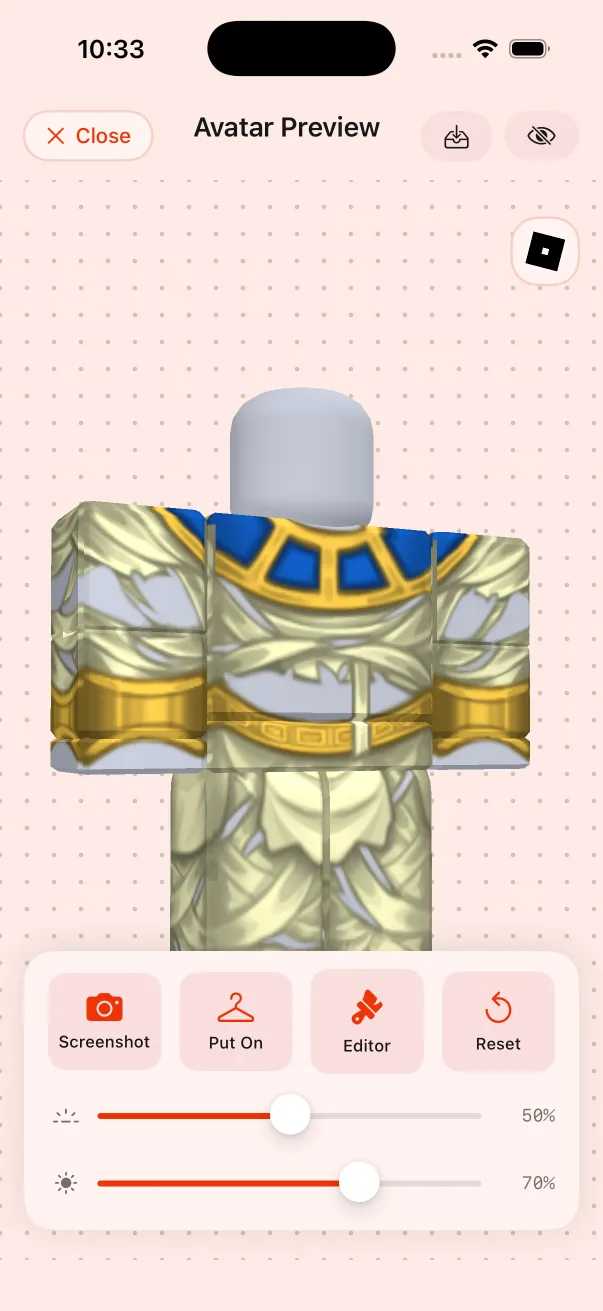
Check the fit from every angle before it goes anywhere.
From idea to wearable template in a couple of minutes. The full tutorial has tips for better prompts.
Type or say the outfit you want and choose Shirt or Pants.
The AI draws a classic Roblox clothing template from your prompt.
Try it on the 3D avatar, then fine-tune it in the template editor.
Save it to your inventory, export the PNG or upload it to Roblox.
Design Roblox shirts and pants in your browser, preview them on a 3D avatar and download upload-ready PNGs. No sign-up.
How an AI Roblox skin maker compares with drawing templates by hand or using a general AI image generator. For app-by-app comparisons, see the blog.
| Feature | Skinomics | Drawing by hand (Photopea, GIMP, Photoshop) | General AI image generators | Template editor apps |
|---|---|---|---|---|
| Start from a text prompt | Yes | No | Yes | No |
| Output on the 585×559 Roblox template | Yes | Only if you draw it | No, a picture you map yourself | Yes |
| 3D avatar preview | Yes | No | No | In some apps |
| Built-in template editor | Yes (draw, stickers, shapes, layers) | Yes | No | Yes |
| Upload to Roblox from the app | Yes, after Roblox sign-in | No, use the Creator Hub | No | Varies |
| Works on iPhone | Yes, plus iPad | Mostly desktop | Yes | Yes |
| Price | Free with an ad per generation, or Pro $5.99/mo | Free (Photopea, GIMP) to paid (Photoshop) | Varies | Free with ads or in-app purchases |
US prices, checked October 2026. Prices vary by country.
Side-by-side comparisons with real prices and features, plus an FAQ and Q&A in every post. Start with the English posts below or pick your language.
We compare 8 AI Roblox skin makers for 2026, from Skinomics and Customuse to UGCraft and Kubic: platforms, outputs, prices and who each one suits.
Read →Skinomics vs Customuse compared: platforms, 3D layered clothing, prices, ratings and editors, so you can pick the right AI Roblox clothes maker.
Read →Free ways to make Roblox clothes compared: AI apps, browser editors and manual tools, plus what uploading really costs in Robux and who can sell.
Read →Can ChatGPT or Midjourney make a Roblox shirt? Why an AI picture isn't a 585×559 template, and how Skinomics builds the layout for you.
Read →Can Roblox Studio or Roblox's AI tools make a shirt from a prompt? What Texture Generator, Assistant and Avatar Setup do, and where Skinomics fits.
Read →Want to sell Roblox clothes you made with AI? Account requirements, the 80 Robux upload fee, commissions, moderation and which AI tool suits sellers.
Read →Roblox clothes maker apps compared: the Skinomics AI generator vs the Pixelvoid, Makerblox and Clothes Skins Maker for RBX template editors.
Read →Phone app or browser tool? Skinomics compared with the web AI Roblox shirt makers UGCraft, Meshlox and AIPolyLab: workflow, previews and plans.
Read →enEspañolesPortuguês (Brasil)pt-brFrançaisfrDeutschdeItalianoitNederlandsnlPolskiplРусскийruУкраїнськаukTürkçetrالعربيةarעבריתheفارسیfaहिन्दीhiবাংলাbnاردوurBahasa IndonesiaidBahasa MelayumsFilipinofilTiếng Việtviไทยth日本語ja한국어ko简体中文zh-hans繁體中文zh-hantSvenskasvNorsk bokmålnbDanskdaSuomifiČeštinacsSlovenčinaskMagyarhuRomânăroΕλληνικάelБългарскиbgSrpskisrHrvatskihrதமிழ்taLietuviųltEverything people ask before making their first Roblox skin with AI. Still stuck? Email [email protected].
Skinomics is an AI Roblox skin maker for iPhone and iPad. You describe an outfit in plain words, the AI generates a classic Roblox shirt or pants template, and you can try it on a 3D avatar, edit it, keep it in your inventory or upload it to Roblox.
Skinomics is free to download. You can unlock each AI generation by watching a short ad, or get Skinomics Pro ($5.99 a month or $25.99 a year in the US) for unlimited generations and reference images. Prices vary by country.
Open Skinomics, type the outfit you want (for example "black bomber jacket with orange sleeve stripes"), choose Shirt or Pants and tap send. Check the result on the 3D avatar, tweak it in the editor if you like, then save, export or upload it. The step-by-step tutorial has prompt tips.
Classic Roblox shirts and pants, laid out on the standard 585×559 clothing template. It does not make 3D layered clothing, 3D accessories or full avatars.
Yes. Sign in with your Roblox account inside the app and upload the shirt or pants from the avatar preview. Roblox charges its own upload fee of 80 Robux per item. You can also export the PNG and upload it in the Roblox Creator Hub yourself.
Roblox sets the rules: you need a verified ID (13+) or an ID-verified parent account, 2-step verification and a Roblox Plus or Premium membership, plus a 10 Robux publishing advance per item. On Marketplace sales the creator receives 30%. See Roblox's Marketplace policy for details.
Roblox's Marketplace policy doesn't ban AI-made clothing. Like any upload, it has to follow Roblox's Community Standards, Marketplace policy and IP rules, and you are responsible for what you upload. Avoid brand logos and copies of other people's designs.
Classic Roblox shirt and pants templates are 585×559 pixels. Skinomics generates designs in that layout, and its editor shows a guide overlay so you can see where the torso, arms and legs go.
Skinomics is on the App Store for iPhone and iPad (iOS 15 or later), and it also runs on Apple silicon Macs.
No. Skinomics is an independent app and is not affiliated with, endorsed by or sponsored by Roblox Corporation. Roblox is a trademark of Roblox Corporation.
Short answers to the questions creators ask most often in comments and DMs.
Skinomics or ChatGPT for a Roblox shirt?
Do I need Photoshop?
Can I make matching pants?
Can I start from a photo?
What prompt works best?
Does Skinomics cost Robux?
Download Skinomics free on the App Store, type your first outfit and see it on your avatar in minutes.