Matching sets
Shirt and pants are generated together, so colors and patterns line up across the whole outfit.
Create a complete Roblox outfit in a few clicks. Choose colors, patterns, sleeves, a collar, a belt and shoes, watch the whole look update on a 3D avatar, then download the matching shirt and pants templates, ready to upload to Roblox.
Pick a main and an accent color for the shirt and for the pants, or hit Randomize for a fresh combination.
Choose stripes, plaid, checks, dots, camo or a gradient, then add a collar, a belt, shoes and long, short or no sleeves.
Drag the avatar to check the outfit from the front, back and sides before you download anything.
Download both 585×559 PNGs, or send the outfit to the Roblox Clothes Maker to add images, text and drawings.
Shirt and pants are generated together, so colors and patterns line up across the whole outfit.
Randomize gives you a new outfit every time, which is a quick way to beat a creative block.
Open the outfit in the clothes maker to customize it further, without starting from scratch.
A Roblox outfit maker builds a matching shirt and pants set for your avatar in one go. In Roblox, a classic outfit is two separate items: a shirt that covers the torso and both arms, and pants that cover the waist, hips and both legs. Each item is a flat 585×559 pixel image split into panels, and each panel becomes one face of a blocky body part. Painting all 36 panels by hand so that the colors line up takes time, and it's easy to forget the sides, the back or the bottoms of the feet.
This outfit maker does that work for you. You choose a style, and it fills every panel of both templates, including the hidden ones, so the outfit looks finished from every angle. The 3D avatar updates as you change each option, and when you're happy you download two PNG files that are ready to upload to Roblox. Everything runs in your browser: there's no account, no watermark and nothing is uploaded to a server.
Before you design, it helps to know how Roblox layers classic clothing. There are three classic clothing types, and they stack in a fixed order on the avatar:
| Item | Image | Where it shows | Layer |
|---|---|---|---|
| Classic pants | 585×559 template | Legs, plus the waist and hips on the torso | Bottom |
| Classic shirt | 585×559 template | Torso and both arms | Over the pants |
| Classic T-shirt | Square image, e.g. 512×512 | Front of the torso only | On top of both |
Because the shirt sits over the pants on the torso, whatever you paint on the torso area of the pants only shows where the shirt is transparent. That's why this tool puts the belt on the pants: it shows at the waist when the shirt leaves the bottom edge open, and it's covered when the shirt is a full jacket.
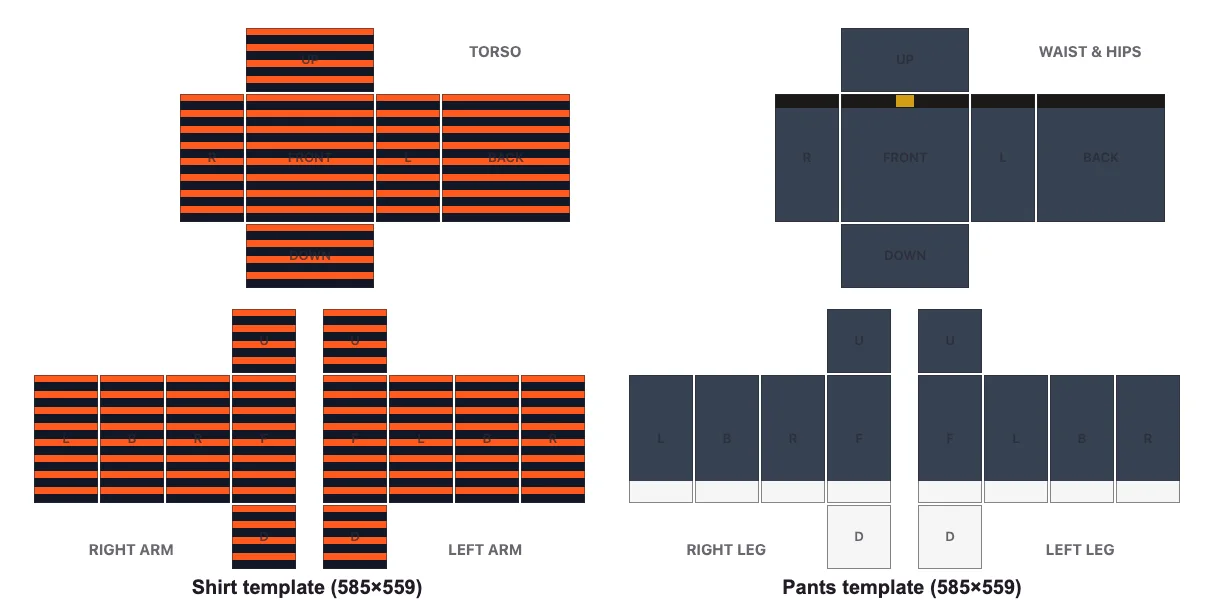
Both templates use the same layout. On the shirt, the top half is the torso (front, back, left and right sides, top and bottom) and the bottom half holds the two arms. On the pants, the top half becomes the waist and hips and the bottom half holds the two legs. The block on the left of each template is the avatar's right arm or leg, because the template is drawn as if you're facing the avatar.
Not sure where to start? Press Randomize a few times. It mixes tested color pairs and patterns, and it's a quick way to find a look you wouldn't have thought of. When something comes close, tweak one or two options instead of starting over.
Every outfit below was made with this tool in under a minute. Use the recipe under each one to recreate it, then change a color or two to make it yours.
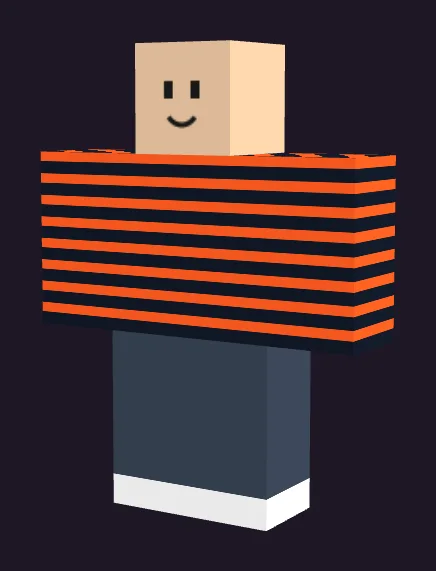
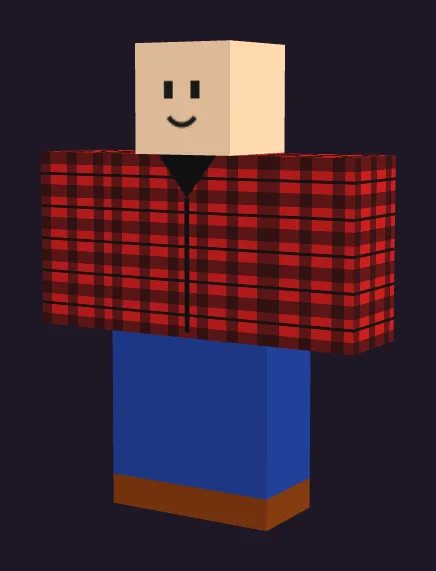
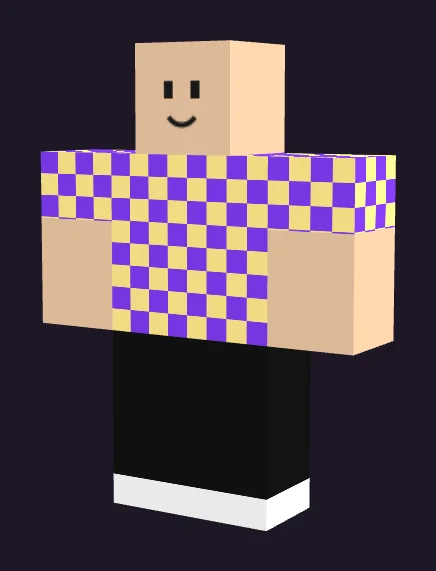
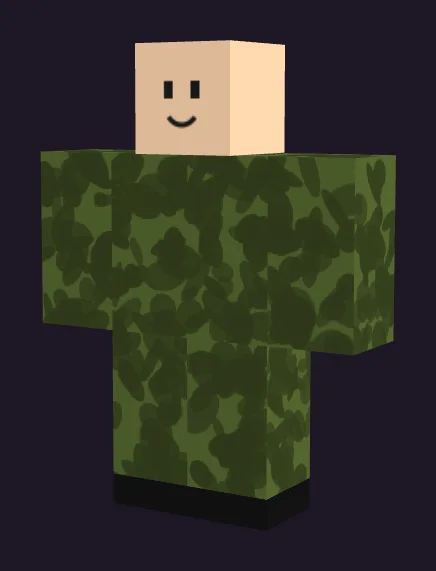
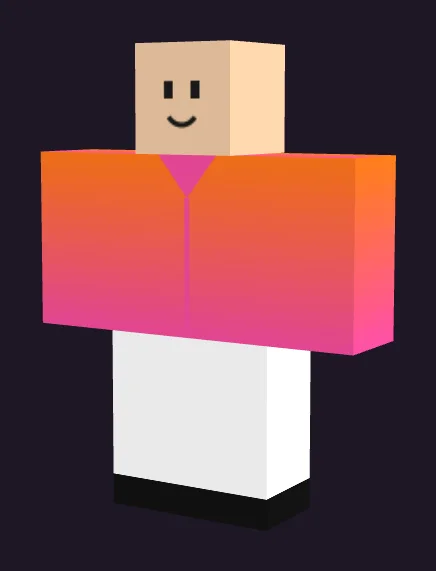
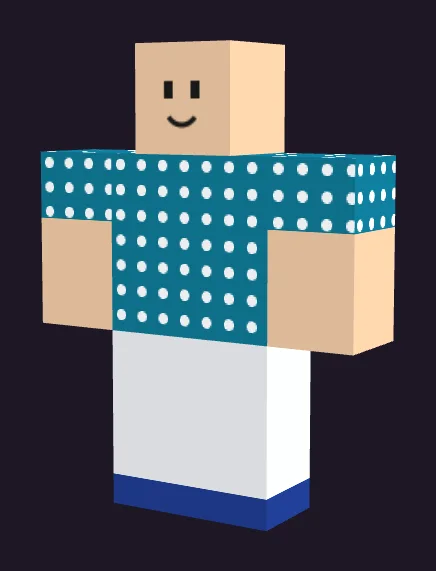
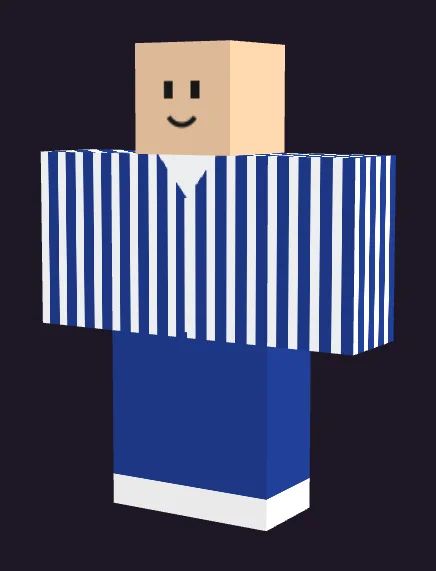
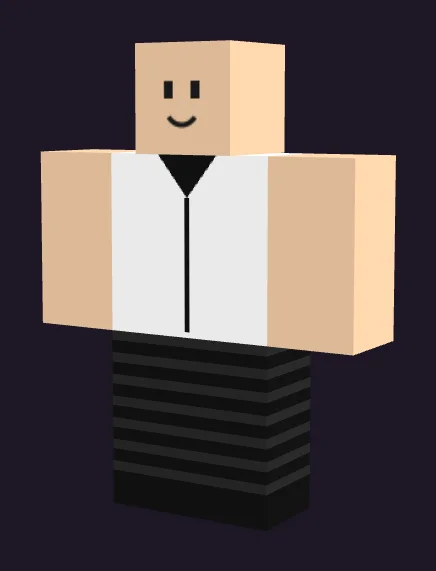
A few tips from these looks: the Street classic and Varsity outfits work because they use only two colors plus white shoes. Lumberjack and Field camo rely on a busy pattern balanced by plain, darker pants, or matching camo for a uniform look. Arcade and Ocean dots use short sleeves so the skin breaks up a loud pattern. Sunset shows how a gradient on the shirt pairs with plain white pants.
Roblox players often dress for a game, a roleplay or a season. These settings get you close in a few clicks; fine-tune them in the clothes maker if you want a logo-free crest, a number or a name.
| Theme | Shirt | Pants | Details |
|---|---|---|---|
| School uniform | Navy solid with white collar | Grey or navy solid | Black shoes, belt |
| Sports team | Your team colors in horizontal stripes | White or black solid | Shoes in the accent color |
| Roleplay chef | White solid, long sleeves, collar | Black and white checks | Black shoes |
| Police or security roleplay | Dark navy solid with collar | Navy solid | Black shoes, belt |
| Beach day | Teal or yellow dots, short sleeves | White solid | No belt, light shoes |
| Winter | Red and white plaid, long sleeves | Dark green solid | Brown boots |
| Halloween or horror | Black and orange stripes | Black solid | Black shoes |
| Esports or gamer | Black with neon green stripes | Black solid | Neon green shoes |
Themes like these are also a good fit for group clothing stores: once you find a combination that works, change only the main color to make a full set of team or class variants.
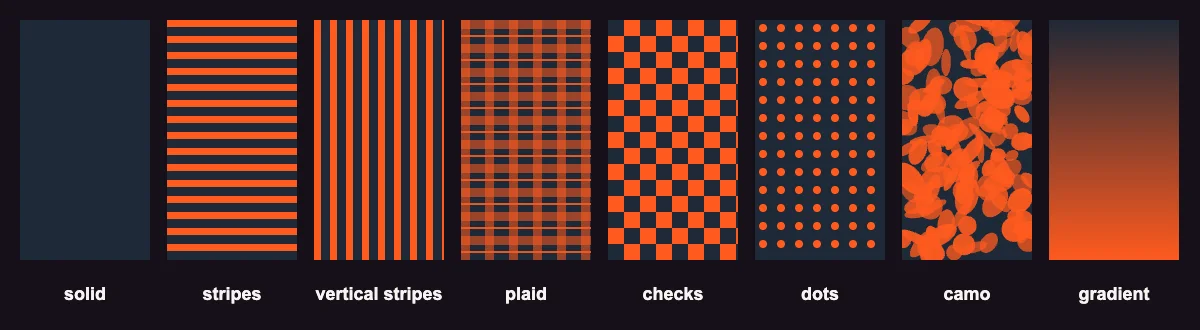
Roblox avatars are usually seen small: in a game, in a lobby or as a thumbnail. Colors that look subtle up close can blur together at that size, so a few rules help:
A simple recipe many designers use is roughly 60% main color, 30% secondary color and 10% accent. In this tool, the shirt's main color and the pants color cover most of the avatar, and the accent appears in the pattern, the collar and the shoes.
Small details make an outfit look intentional:
The outfit maker is the fastest way to a good-looking base. When you want more, click Edit in clothes maker. The outfit opens in the free Roblox Clothes Maker, where you can paint individual panels, draw details with a brush, add a logo-free image or a short word of text, and undo anything. You can also check a design you made somewhere else with the Roblox Clothes Preview, or start from a blank shirt template or pants template.
Run through this quick list so your outfit looks right in game and sails through moderation:
Your downloads are standard classic clothing templates, so you upload them the same way as any shirt or pants:
| What | Details (checked October 2026) |
|---|---|
| Upload fee | 80 Robux per item, so a shirt plus pants is 160 Robux. Generally not refunded if moderation rejects the item. |
| Uploading | Needs government ID verification (13+) or an ID-verified parent account |
| Selling | Also needs 2-step verification, Roblox Plus or Premium and a 10 Robux publishing advance per item |
| Earnings | The creator gets 30% of a Marketplace sale; in-game sales split 30% creator, 40% game owner |
| Moderation | No Roblox branding, other brands, copied items, excessive text or content against the Community Standards |
These rules come from Roblox's creator documentation and can change, so check the current fees in the Creator Hub before you upload. Patterns and colors made with this tool contain no logos or text, which keeps moderation simple.
This page builds outfits from patterns and colors. If you'd rather describe an outfit in words, an AI generator is the faster route. The Skinomics app for iPhone and iPad turns a sentence like "cozy green flannel over a white tee" into a classic shirt or pants template, shows it on a 3D avatar and lets you edit it.
| Outfit maker (this page) | Skinomics app (AI) | |
|---|---|---|
| How you design | Pick colors and patterns | Describe the outfit in words |
| Best for | Clean, matching sets in seconds | Detailed looks: jackets, hoodies, uniforms, themes |
| Runs on | Any browser | iPhone and iPad |
| Editing | Hand-off to the free clothes maker | Built-in template editor and 3D preview |
| Price | Free | Free download; each AI generation unlocked by a short ad or Skinomics Pro |
Need prompt inspiration? The free outfit idea generator writes ready-to-use prompts by style.
| Problem | Why it happens | Fix |
|---|---|---|
| Skin shows on the arms | Short or no sleeves are selected | Choose long sleeves |
| The belt doesn't show in game | The shirt covers the waist | Use a shirt that leaves the bottom transparent, or skip the belt |
| Feet are a different color | That's the shoe color | Set shoes to the pants color |
| The outfit looks different on my avatar | Some user-made bodies don't support 2D classic clothing | Test on a standard Roblox body |
| Upload was rejected | Moderation flagged something | Check for text, logos or copied art and try again |
Yes. It's completely free in your browser with no sign-up and no watermark. Roblox charges its own fee of 80 Robux to upload each item.
Yes. You get two 585×559 templates, one shirt and one pants, designed to match. On Roblox they're uploaded and worn as two separate items.
Pick a main and an accent color for the shirt, choose a pattern and sleeves, set the pants color and pattern, add shoes and a belt, check the 3D preview and download both PNGs. Then upload them as a classic shirt and classic pants.
Yes. Click 'Edit in clothes maker' and the outfit opens in the Roblox Clothes Maker, where you can paint panels, draw and add images or short text.
Roblox charges 80 Robux per classic clothing item, so a shirt and pants together cost 160 Robux to upload. Selling also needs a Roblox Plus or Premium membership and a 10 Robux publishing advance per item.
Classic shirts and pants are both 585×559 pixels. Both downloads from this tool are exactly that size.
That's the shoe color, which fills the bottom of each leg panel and the bottom of the feet. Set it to the pants color if you don't want visible shoes.
Once a shirt and pants pass moderation and you wear them, they show in games that use your avatar's classic clothing. Some games and some user-made bodies don't display 2D classic clothing.
No. The outfit is generated in your browser, and nothing is sent to a server until you upload it to Roblox yourself.
This web tool uses patterns and colors. For AI outfits from a text prompt, try the Skinomics app on iPhone or iPad, or get prompt ideas from the outfit idea generator.
arБългарскиbgবাংলাbnČeštinacsDanskdaDeutschdeΕλληνικάelEspañolesفارسیfaSuomifiFilipinofilFrançaisfrעבריתheहिन्दीhiHrvatskihrMagyarhuBahasa IndonesiaidItalianoit日本語ja한국어koLietuviųltBahasa MelayumsNorsk bokmålnbNederlandsnlPolskiplPortuguês (Brasil)pt-brRomânăroРусскийruSlovenčinaskSrpskisrSvenskasvதமிழ்taไทยthTürkçetrУкраїнськаukاردوurTiếng Việtvi简体中文zh-hans繁體中文zh-hantSkinomics is not affiliated with Roblox Corporation. Roblox is a trademark of Roblox Corporation. Fees and requirements were checked on create.roblox.com in October 2026 and can change.